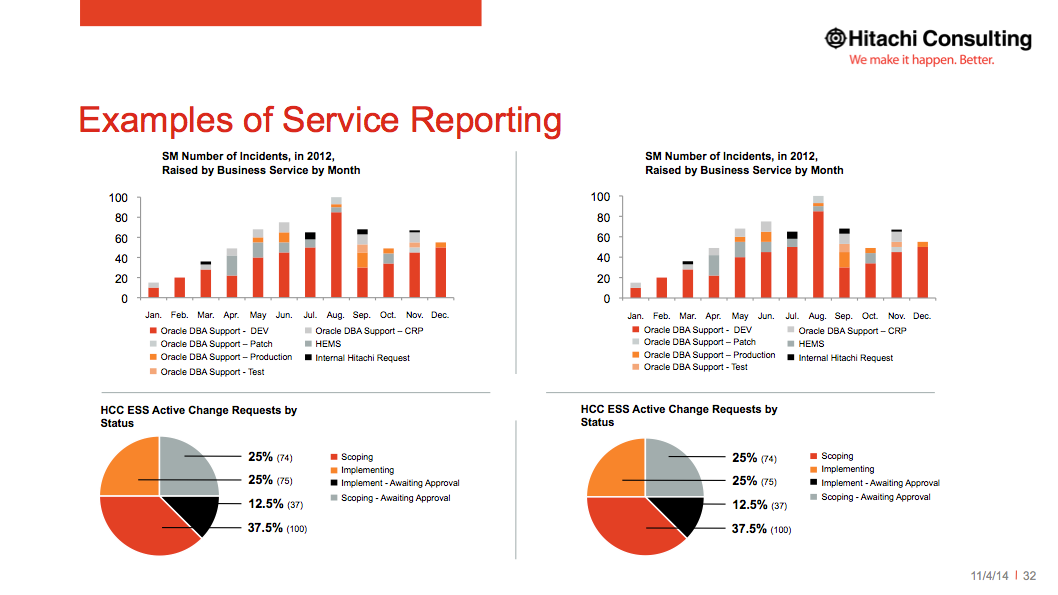
4 Pre-designed charts, ready for your data and our data.
Using Graphs Slide Option 1
Keep the red title line text to 1 line, and the size 24.
Tip - The charts in PowerPoint come with automatic labels, but in this template they have been hidden and replaced with normal text boxes. This way you can position them all independently and with better precision.
The black bar chart & pie chart title text is size 7.5 and is bold.
The key text for both the bar chart & pie chart title text is size 6.
The pie chart percentage numbers are size 8.5 and bold.
While the trailing pie chart numbers in parenthesis are size 6 and not bold.
TIP - Change the color of a bullet by selecting the bullet itself. These bullets are created manually out of basic PowerPoint shapes, so you can either change the bullet color or the text to configure your chart faster without always having to open up Excel to make the changes.